


Description
Download Yoono – Browser Sidebar Social Hub for Firefox
Overview
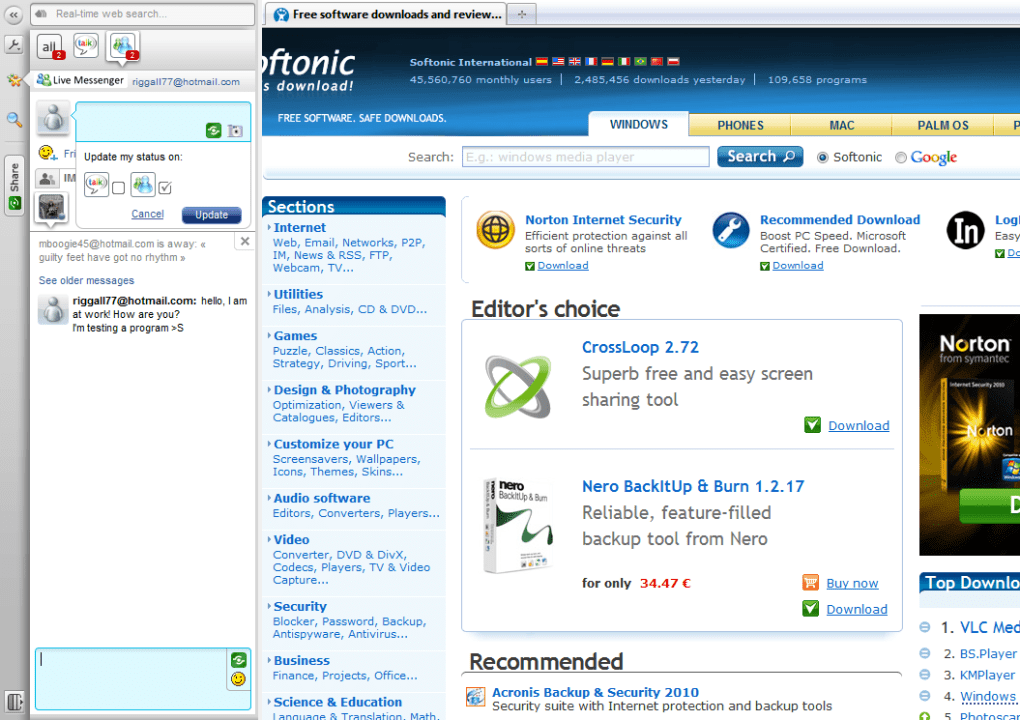
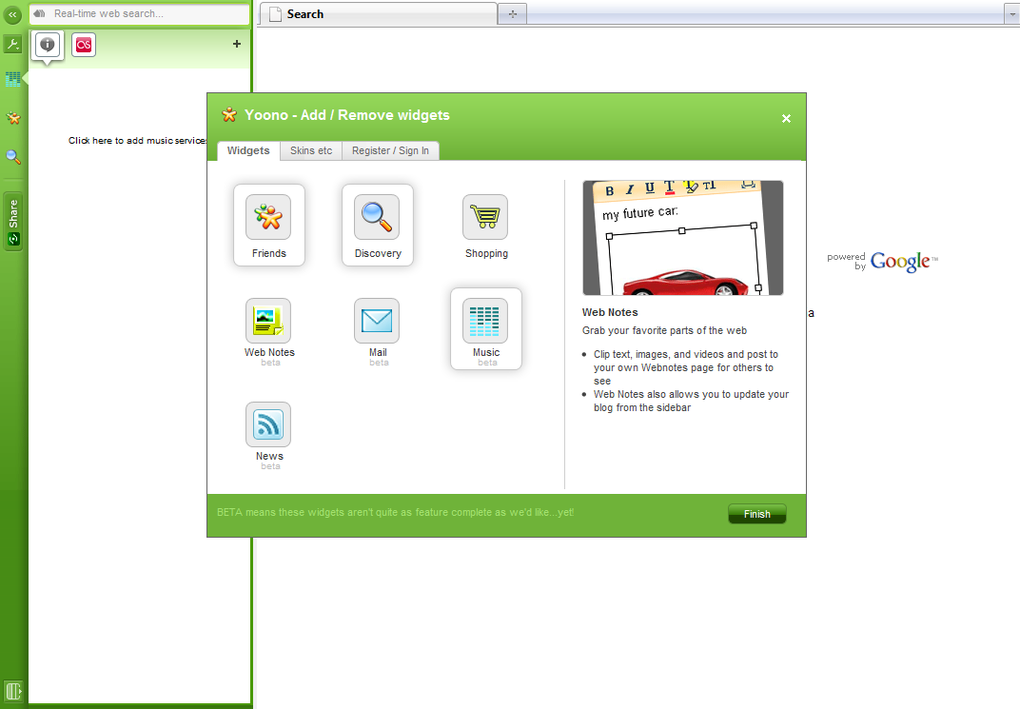
Yoono is a versatile Firefox add‑on that transforms a simple browser sidebar into a real‑time social‑media command centre. Designed for users who want to stay connected without constantly switching tabs, Yoono aggregates updates from major networks—Facebook, Twitter, MySpace, Flickr—and instant‑messaging services such as AIM, Google Talk, Windows Live Messenger, and Yahoo Messenger. The add‑on also integrates Google Reader feeds and offers a built‑in Last.fm radio player, making it a one‑stop hub for news, chat, and entertainment. Its collapsible, multi‑column layout can be resized, recoloured, and customised, allowing you to tailor the sidebar to match your workflow or aesthetic preferences. Whether you’re researching a topic, shopping online, or simply browsing for fun, Yoono delivers relevant pop‑up alerts, audio cues, and contextual search results right beside the page you’re viewing. The latest minor release focuses on security hardening and bug fixes, ensuring that the tool remains safe and stable for daily use. For power users who demand constant connectivity, Yoono delivers a seamless blend of social networking, instant messaging, and content discovery—all within the familiar Firefox environment.
Key Features
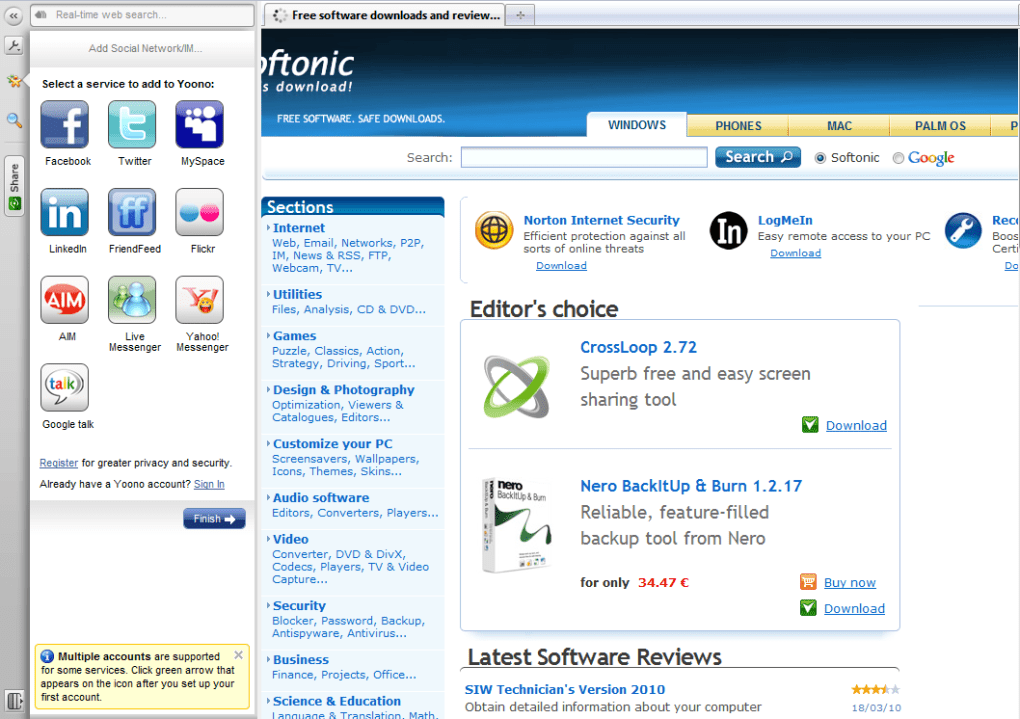
- Live social‑network feeds from Facebook, Twitter, MySpace and Flickr.
- Integrated instant‑messaging support for AIM, Google Talk, Windows Live Messenger and Yahoo Messenger.
- Customisable sidebar with up to three columns, resizable width, and seven colour schemes.
- Google Reader synchronization for RSS/Atom feeds.
- Embedded Last.fm internet radio player (streaming of global stations).
- Real‑time pop‑up alerts with optional audio notifications.
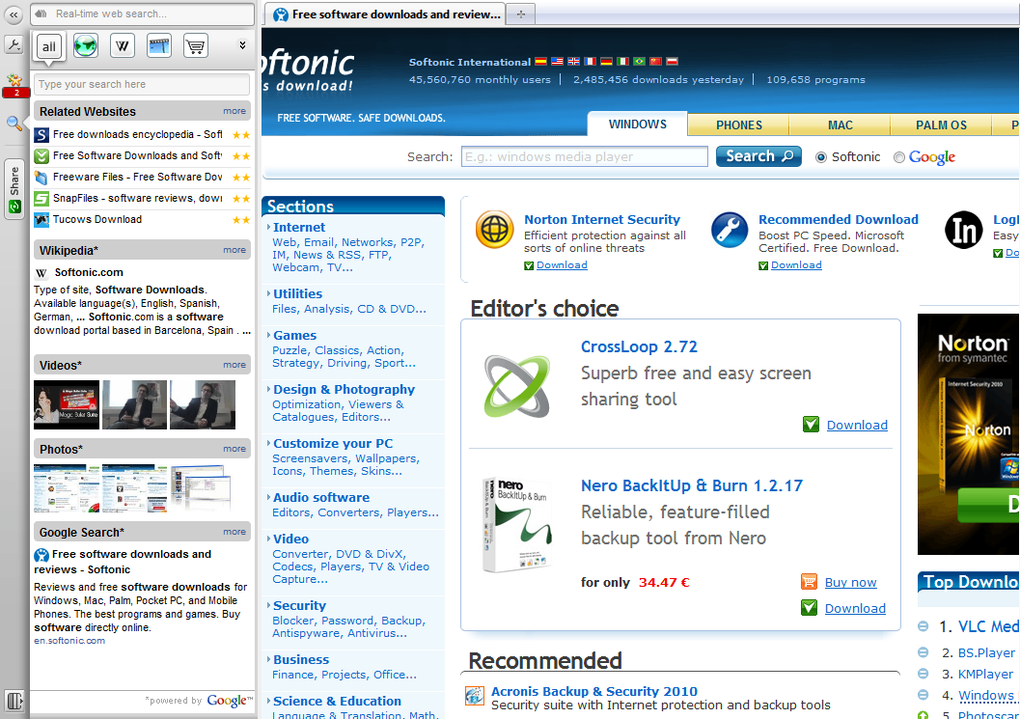
- Contextual content search that shows related videos, products, Wikipedia entries, and more based on the active tab.
- Easy toggle to collapse or expand the sidebar, keeping your browsing area uncluttered.
- Security‑focused minor release addressing known vulnerabilities.
- Simple add‑on management through Firefox’s extensions manager.
Installation & Usage Instructions
Installing Yoono is straightforward and can be completed in under five minutes. First, launch Firefox and navigate to the official Mozilla Add‑ons site. Search for “Yoono” or follow the direct link provided by the developer. Click the Add to Firefox button, then confirm the installation when prompted. Once installed, Yoono automatically adds a collapsible sidebar on the right‑hand side of the browser window.
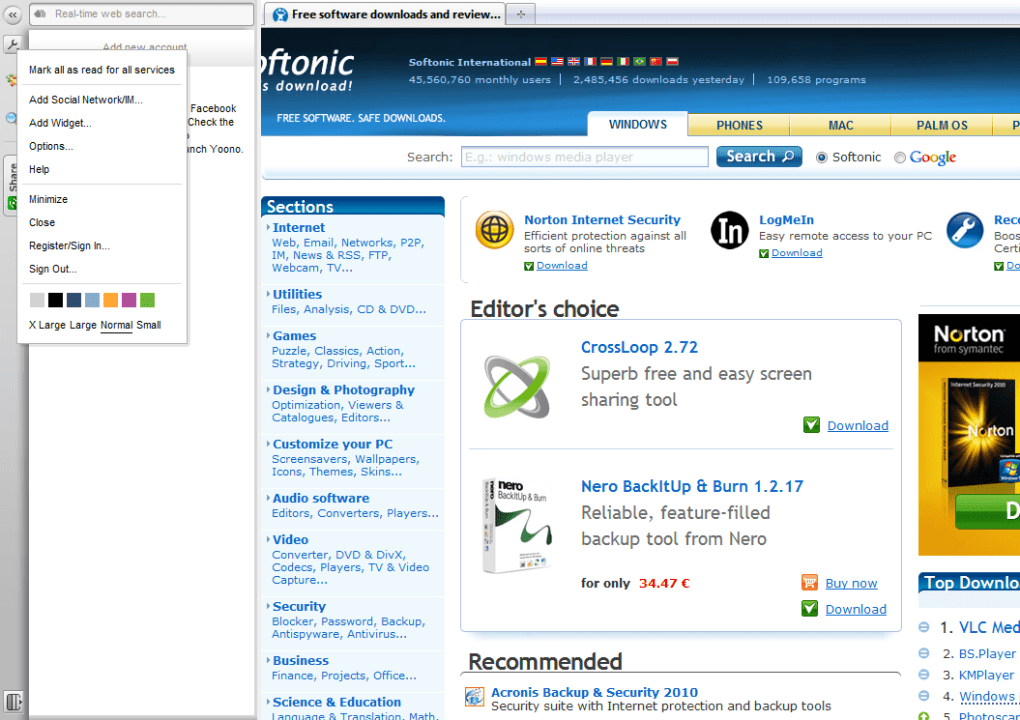
To configure the add‑on, click the Yoono icon in the sidebar header. A settings pane appears, allowing you to sign in to each supported service. Enter your credentials for Facebook, Twitter, or any instant‑messaging account you wish to monitor. You can enable or disable individual services, choose which types of alerts trigger pop‑ups, and select whether you want sound notifications. For visual preferences, navigate to the “Appearance” tab to pick one of the seven colour schemes, adjust the sidebar width, or enable the multi‑column view.
Using Yoono day‑to‑day is intuitive. When a friend posts a status on Facebook or a new tweet appears, a subtle badge appears at the top of the sidebar, and a pop‑up notification slides out if you have alerts enabled. Clicking the badge opens the corresponding feed directly within the sidebar, letting you reply, like, or retweet without leaving your current webpage. The instant‑messaging panels work similarly: new messages appear as chat bubbles, and you can type responses in the same pane. Although the Windows Live Messenger integration does not yet show “typing…” indicators, the core messaging functions remain reliable.
The contextual search feature is accessed via the magnifying‑glass icon located near the top of the sidebar. When you click it, Yoono analyses the URL of the active tab and displays a curated list of related articles, videos, product listings, and Wikipedia entries in a dedicated column. This can be a powerful research aid, especially for students and professionals who need quick references without opening new tabs.
Finally, keep Yoono up to date by checking the “Updates” section in Firefox’s Add‑ons Manager. The minor release that introduced the recent security fix will be offered automatically, ensuring that you benefit from the latest protections and performance improvements.
Compatibility and System Requirements
Yoono is built exclusively for the Mozilla Firefox browser and therefore inherits the same cross‑platform compatibility as Firefox itself. It runs on Windows (XP, Vista, 7, 8, 10, and 11), macOS (10.9 and later), and Linux distributions that support the latest Firefox releases. Because Yoono relies on web‑based APIs for social networks and instant‑messaging services, a stable internet connection is required for real‑time updates.
Minimum requirements include Firefox version 45 or newer; however, for optimal performance and security, the developer recommends using the most recent stable Firefox release. The add‑on consumes modest system resources—approximately 30 MB of RAM when all services are active—making it suitable for older machines as well as modern desktops and laptops. Users on low‑bandwidth connections should consider disabling auto‑play radio streams and reducing the number of active columns to minimise data usage.
Yoono does not currently offer native support for mobile browsers or the Firefox for Android/iOS apps. The design philosophy focuses on a desktop‑centric workflow where a sidebar can remain visible without impeding screen real‑estate. For mobile users, the developer suggests using the official apps of the individual services (Facebook, Twitter, etc.) which already provide push notifications.
In terms of security, the latest minor release patches a vulnerability that could allow malicious web pages to inject script into the sidebar. Users are encouraged to keep both Firefox and Yoono updated, and to enable Firefox’s built‑in tracking protection for added privacy when interacting with third‑party social networks.
Pros, Cons, and Frequently Asked Questions
Pros
- All‑in‑one social hub eliminates the need for multiple tabs or separate apps.
- Highly customisable layout with multi‑column support and colour themes.
- Real‑time pop‑up alerts keep you informed without interrupting browsing.
- Contextual search provides instant related content based on current page.
- Free to use, with regular security updates from the developer.
Cons
- No native support for mobile Firefox or other browsers.
- Last.fm integration lacks user‑radio station playback.
- Instant‑messaging panels miss some advanced features (e.g., typing indicators).
- Limited skin options beyond the seven colour schemes.
- Dependent on third‑party API changes; some services may become unsupported over time.
Frequently Asked Questions
Is Yoono free to download and use?
Yes, Yoono is completely free. You can download it from the Mozilla Add‑ons site at no cost, and all core features are available without a subscription.
Which social networks are currently supported?
Yoono supports Facebook, Twitter, MySpace, Flickr, and integrates Google Reader for RSS feeds. It also works with AIM, Google Talk, Windows Live Messenger, and Yahoo Messenger for instant messaging.
Can I use Yoono on macOS?
Yes. As a Firefox add‑on, Yoono runs on any operating system that supports Firefox, including macOS 10.9 and later.
Does Yoono affect Firefox’s performance?
The add‑on uses modest memory (about 30 MB with all services active) and has a negligible impact on browsing speed for most modern computers. Disabling unused services can further reduce resource consumption.
How do I receive security updates for Yoono?
Updates are delivered through Firefox’s built‑in add‑on manager. When a new version is released, you’ll see an “Update” button in the Extensions page; clicking it installs the latest security patches automatically.
Overall Rating: 4 out of 5 stars
Yoono shines as a productivity‑boosting sidebar that consolidates the social web into a single, unobtrusive pane. While it could benefit from more skins and full mobile support, the core experience is stable, secure, and genuinely useful for anyone who wants to stay socially connected while browsing.
Conclusion & Call to Action
In a digital world where notifications constantly vie for our attention, Yoono offers a disciplined yet flexible solution. By anchoring your social feeds, instant‑messaging, and content discovery to a dedicated Firefox sidebar, you gain real‑time awareness without sacrificing the browsing experience you love. The add‑on’s customisable layout, reliable pop‑up alerts, and contextual search make it a compelling tool for power users, researchers, and casual browsers alike.
If you’re ready to streamline your online social life, simply click the Download Yoono button below, follow the quick installation steps, and start enjoying a more connected web today. Remember to keep Firefox and Yoono updated to benefit from the latest security fixes and feature enhancements.
Guides & Tutorials for Yoono
How to install Yoono
- Click the Preview / Download button above.
- Once redirected, accept the terms and click Install.
- Wait for the Yoono download to finish on your device.
How to use Yoono
This software is primarily used for its core features described above. Open the app after installation to explore its capabilities.
User Reviews for Yoono 0
No reviews found





